
From the Drawing to the Record.
TradePlane runs on the drawings you already have and the phones people already carry. Here's what happens from the day we load your plans to the day the job closes out.
We Load Your Drawings
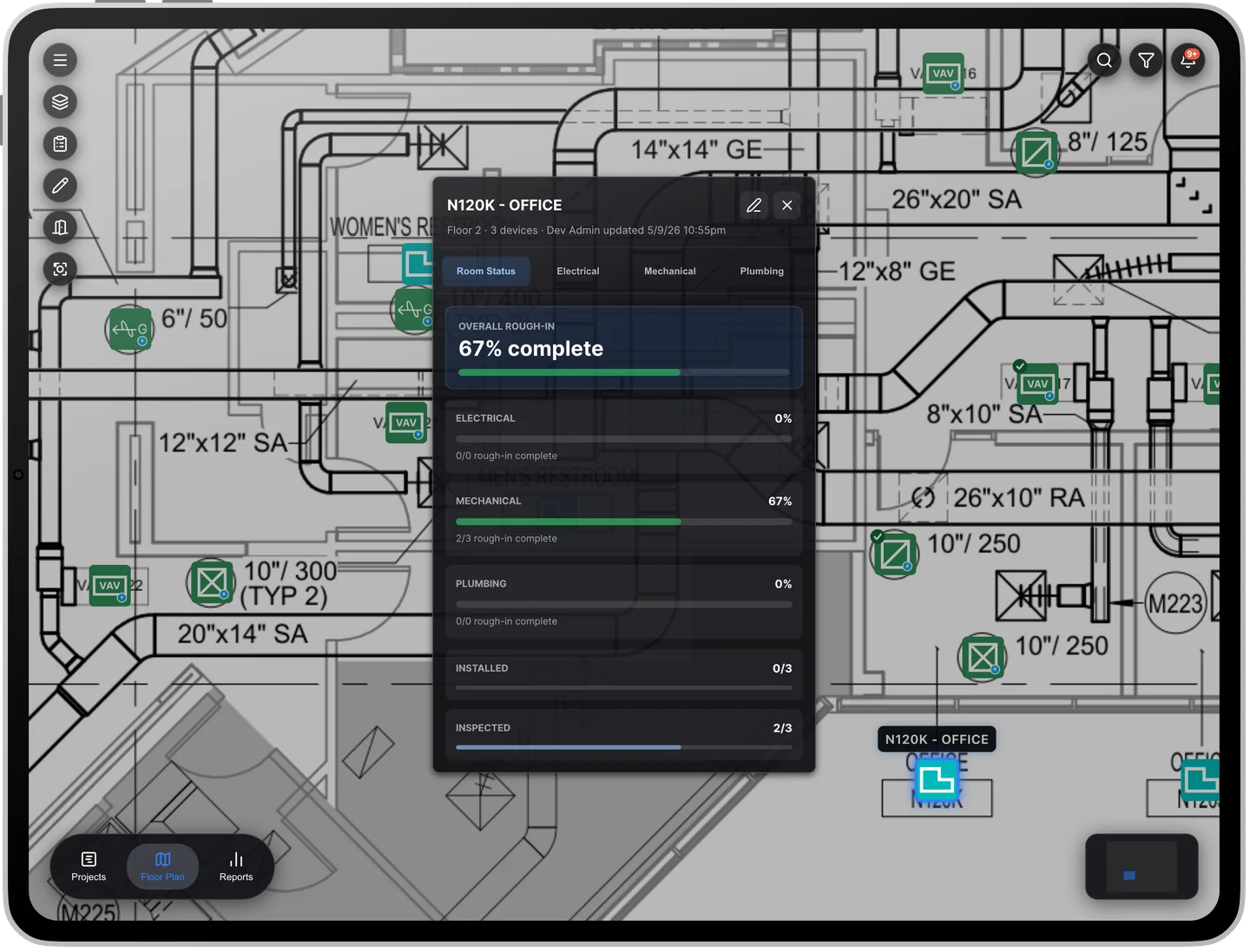
Send us your PDF plan sets. TradePlane reads the sheets and pulls the equipment schedules into device records, so every device starts life with the right tag and spot on the drawing. No BIM model needed.
QR Stickers Go Up
Each room gets a sticker. Scanning it opens the drawing for that exact room, zoomed to where you're standing, not just the sheet.

The Crew Captures as They Install
Serial number, model and photo for each device, plus a code-tied rough-in checklist with real citations (IMC, NEC, IPC). It starts from the same scan they used to get the drawing, so it isn't a separate chore.

Nothing Gets Covered Up Unrecorded
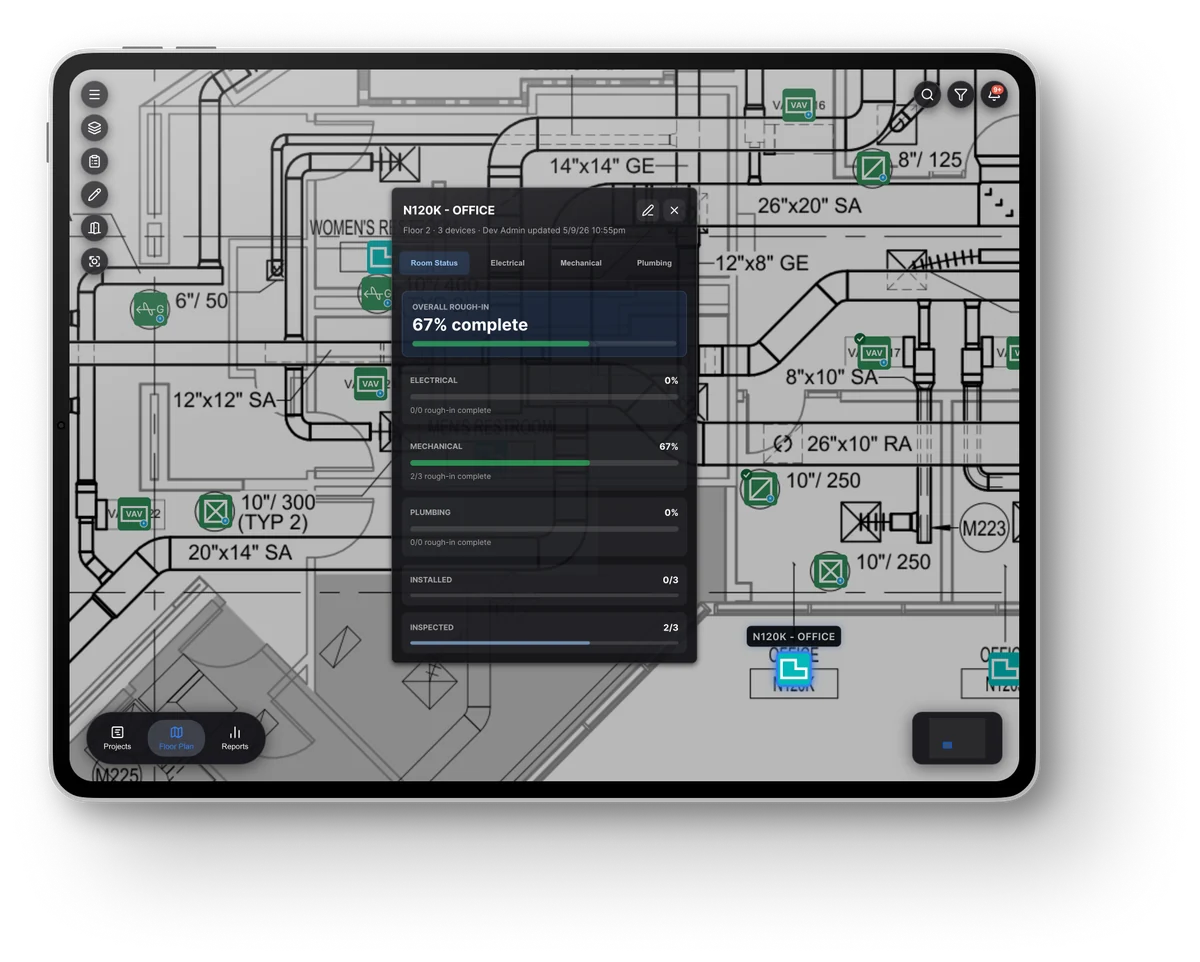
For equipment that has to be recorded, the app won't let it be marked roughed in until the capture is done. Progress rolls up by trade and zone as the job moves.
The Reports Build Themselves
The daily report is generated from the day's scans and emailed on a schedule you set. A pre-concealment report shows what was captured before the walls closed.

What's real today, and what isn't.
Working now
- Multi-sheet PDF plan sets, with equipment schedules read into device records
- QR sticker to the exact drawing view for the room
- Trade-layer filtering and revision changes highlighted by trade
- Serial, model and photo, captured before concealment
- A capture gate before equipment can be marked roughed in
- A code-tied rough-in checklist on each device
- Devices linked to their circuit and panel
- Live percent complete by trade and zone
- Daily report, generated and emailed on schedule
- HVAC submittals and spec sheets on the device record
Not yet
- Offline mode: built, being proven on real jobsites before we call it done
- A read-only login for the owner's facilities team: in build
- Inspection and service due dates on each device: designed, not built
- A finished closeout or turnover package: not built
- Connections to Procore or a maintenance system: not yet
- Electrical and plumbing submittals, and any submittal approval workflow: not yet
The wrong person can't see your job.
Each of these is enforced on our servers, where a user can't get around it.
Walled Off by Company
Every company's data is kept separate from every other company's, checked on each request.
Roles Checked on the Server
What each person can do is enforced by the server. Signing off rough-in, for example, is locked to the foreman role.
Access Ends When the Role Does
Change or remove someone's role at 2pm and their old access ends at 2pm, not whenever a login happens to expire.
No Passwords to Leak
People log in with a one-time code sent by text message, and only after someone on the job has added them.
We keep the record. We never sign off on it.
The inspector, the fire marshal or the owner's trained staff sign. We're not the compliance authority and we don't replace anyone's inspector.
The questions IT asks.
What drawing files does TradePlane take?
Multi-sheet PDF plan sets. No BIM model is needed. If your drawings are in another format, ask us before assuming either way.
Is there an iPhone or Android app?
TradePlane runs in the phone or tablet's web browser. There's no app to download from an app store.
Does it work without a signal?
Offline mode is built and being tested. We won't call it done until it's proven on a real jobsite with real dead zones.
Does it connect to Procore?
Not today. A Procore connection is on the list, and we'll say not yet until it's real.